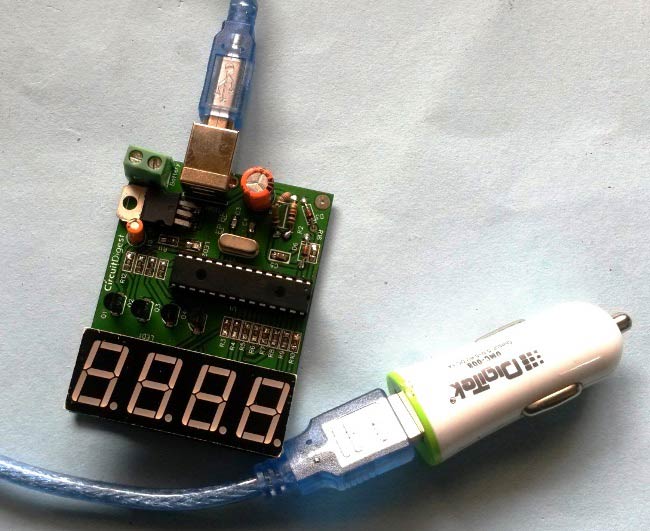
In this project we are going to make a PIC based Car Battery Monitoring system on PCB. Here, we have designed a PCB using EASYEDA online PCB simulator and designer. This Car Battery Monitoring Circuit is used to monitor the power of Car Battery by just plugging it into the power outlet on the dashboard of a car. The PCB also has the option to use it as Voltage Measurement tool or Voltmeter without using USB car charger. We have attached a terminal block here to measure the voltage of other power sources, just by connecting two wires in it from the power source.
Sunday, 15 January 2017
Friday, 6 January 2017
PIC Microcontroller Tutorial: Learn about Timers
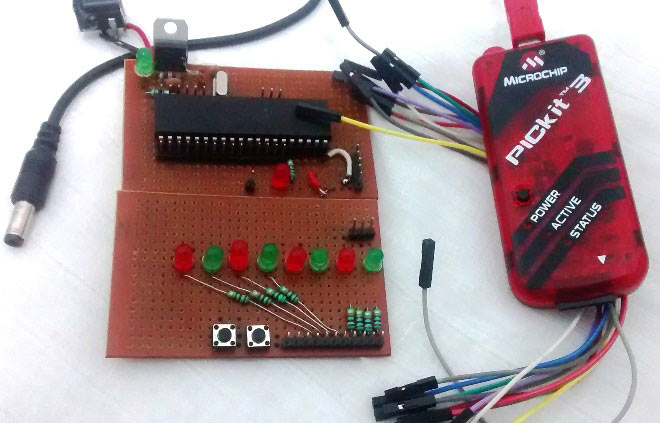
In this PIC microcontroller tutorial series, this tutorial will help you to learn and use Timers in PIC16F877A. In our previous tutorials, we had started with Introduction to PIC and MPLABX IDE, then we wrote our first PIC program to blink the LED using PIC and then made a LED Blinking Sequence by using delay function in PIC Microcontroller. Now let us use the same LED Blinking sequence which we have used in previous tutorial hardware and with this we will Learn How to use Timers in our PIC MCU. We have just added one more button in LED board for this tutorial. Go through the tutorial to learn more.
To learn more about the basic concepts of PIC microcontrollers, and get some interesting DIY projects, keep visiting www.circuitdigest.com
Thursday, 22 December 2016
Arduino Plant Irrigation System
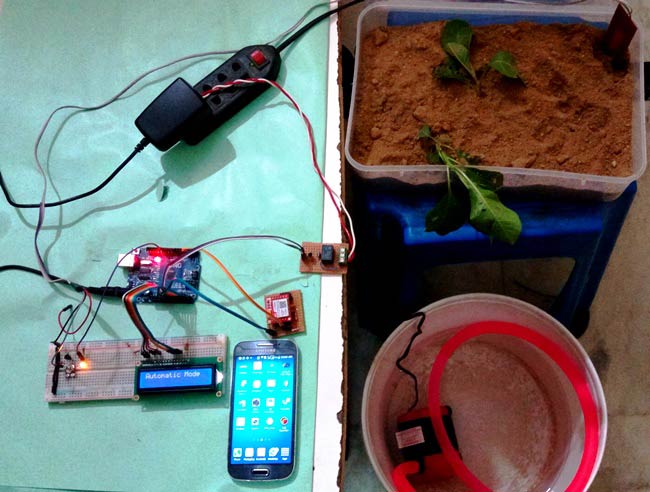
This interesting arduino based project automatically provides water to your plants and keep you updated by sending message to your cell phone.
Here we have used a soil moisture sensor, which checks the moisture level in the soil and if moisture level is low then Arduino switches On a water pump to provide water to the plant. Water pump gets automatically off when system finds enough moisture in the soil. Whenever system switched On or off the pump, a message is sent to the user via GSM module, updating the status of water pump and soil moisture. You can see the working of this project in below video:
This system could be very effective and useful to automate irrigation in Farms, gardens, home etc. It is completely automated and there is no need for any human intervention. To DIY this project check out this tutorial on CircuitDigest.com
Tuesday, 20 December 2016
DIY Arduino based Robotic Arm
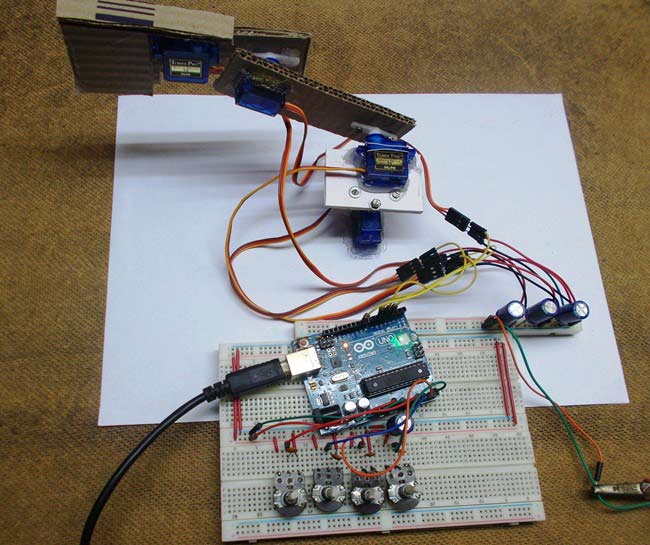
This DIY tutorial talks about creating a simple Arduino based Robotic Arm. This complete robotic arm will be designed from scratch. Entire process of construction has been explained in detail below. The arm has been built with cardboards and the individual parts have been locked to servo motors. Arduino Uno is programmed to control servo motors. Servos are serving as joints of Robotic arm here. Have a look to final setup of entire project.
Low torque servo motors are used here but you can use more powerful servos to pick heavy object. The whole process has been well demonstrated in the below video.
Thursday, 17 November 2016
RPi Obstacle Avoiding Robot
We have shared many simple robotics projects like line follower, cell phone controlled, computer controlled, DTMF controlled, bluetooth controlled, wifi controlled robots, etc. and we made them by using various microcontrollers and boards like 8051, AVR, Arduino, Raspberry Pi.
In this new project, we used popular development board Raspberry Pi to build an obstacle avoiding robot which detects any obstacle in front of its path, it change the direction. Ultrasonic sensors are used to detect any object in the path.
Have a look to this RPi controlled obstacle avoiding robot.

If you want to build this simple robot, just follow the DIY tutorial on CircuitDigest.com where it is explained in detail with the help of schematics and python programs.
In this new project, we used popular development board Raspberry Pi to build an obstacle avoiding robot which detects any obstacle in front of its path, it change the direction. Ultrasonic sensors are used to detect any object in the path.
Have a look to this RPi controlled obstacle avoiding robot.
If you want to build this simple robot, just follow the DIY tutorial on CircuitDigest.com where it is explained in detail with the help of schematics and python programs.
Sunday, 6 November 2016
IoT Notice Board using Raspberry Pi
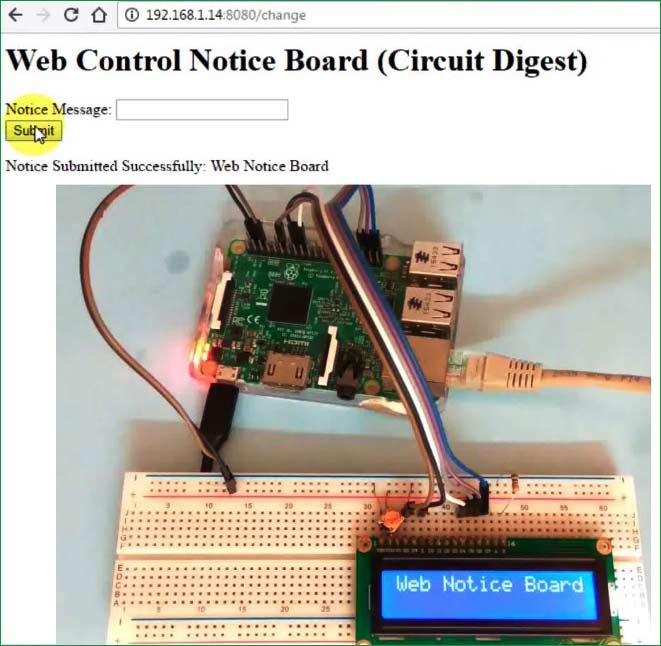
As the usage of Internet of Things increasing day by day and a wide range of IoT based products coming into market, we are also experimenting with some of our popular DIY projects by enabling them with IoT technology. If you have seen this Arduino notice board, where you can change the notice on notice board by simply sending a message from your cell phone. So this time we are making this project with Raspberry Pi and connecting with the internet.
Here you can simply change the notice through the web interface. Check out this complete project with DIY instructions and required files.
Sunday, 23 October 2016
Arduino LED VU Meter on PCB
VU Meter or Volume Meter is very interesting project for music lovers. It is kind of an Equalizer, which is present in the Music systems where we can see the dancing of LEDs according to the music, if music is loud then equalizer go to its peak and more LEDs will glow, and if music is low then lesser number of LEDs shall glow. Volume Meter (VU) is an indicator or representation of the intensity of sound level over LEDs and can also serve as a volume measurement device.

Although we can also create a simple VU meter circuit without using any microcontroller but to enhance it and work in a more beautiful way, we have designed it as an Arduino shield. Here you can find the complete DIY tutorial and a step by step guide to design the PCB layout for this VU meter.
Check it out here.
Watch the VU meter working in this video.
Although we can also create a simple VU meter circuit without using any microcontroller but to enhance it and work in a more beautiful way, we have designed it as an Arduino shield. Here you can find the complete DIY tutorial and a step by step guide to design the PCB layout for this VU meter.
Check it out here.
Watch the VU meter working in this video.
Subscribe to:
Posts (Atom)