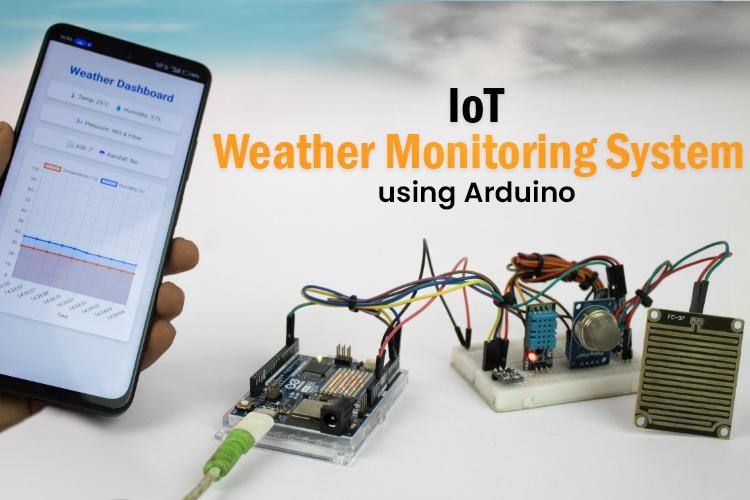
Learn how to create a simple IoT-based weather monitoring system using the Arduino UNO R4 WiFi. This project collects real-time data, such as temperature, humidity, air quality, rainfall, and atmospheric pressure, and displays the information on a local web dashboard. No cloud service or third-party platform is required, making this setup ideal for offline environments.
Features of the IoT Weather Monitoring System
- Monitors temperature, humidity, air quality, pressure, and rainfall
- Displays real-time readings on a local Wi-Fi dashboard
- Operates without cloud connectivity
- Built with Arduino UNO R4 WiFi, which includes onboard Wi-Fi
- Easy to assemble and customize using basic electronic components
Components Required
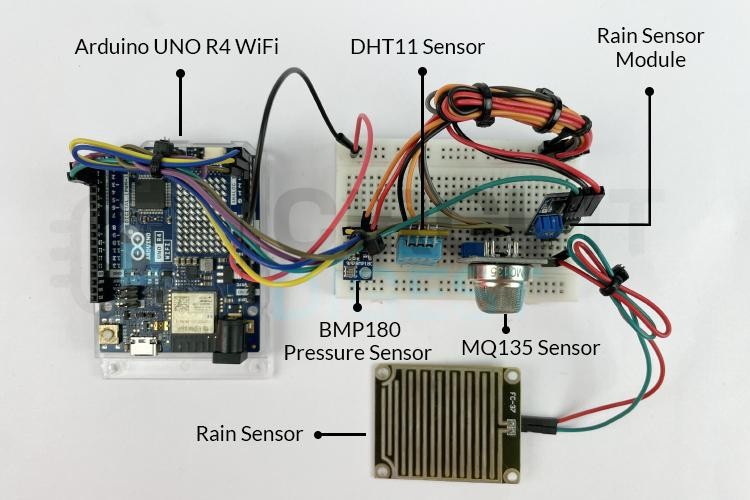
To build this system, you'll need the following:
- Arduino UNO R4 WiFi
- DHT11 – Temperature and Humidity Sensor
- BMP180 – Pressure Sensor
- MQ135 – Air Quality Sensor
- Rain Sensor Module
- Breadboard and Jumper Wires
- USB Cable for Programming
Circuit Diagram and Assembly of IoT based Weather Station System

How It Works
Once powered on, each sensor reads environmental data. The Arduino UNO R4 WiFi processes this data and hosts a local web page that displays real-time values. Since the dashboard is served over your local network, there's no dependency on internet access or cloud platforms. Any device connected to the same Wi-Fi can access it.
Real-World Applications
This weather station can be adapted for various use cases:
- Educational Projects – Great for learning about sensors, IoT, and data visualization
- Smart Homes – Monitor indoor/outdoor conditions for automation
- Gardening & Agriculture – Track weather changes for irrigation or crop planning
- Offline Setups – Works in remote areas without relying on cloud platforms
For Arduino code and full tutorial: How to Build an IoT-Based Weather Monitoring System Using Arduino
Robotics Projects |Arduino Projects | Raspberry Pi Projects|

