Showing posts with label Temperature sensor. Show all posts

Monday, 16 June 2025

Learn How to Send SMS with ESP32 Using SMS API


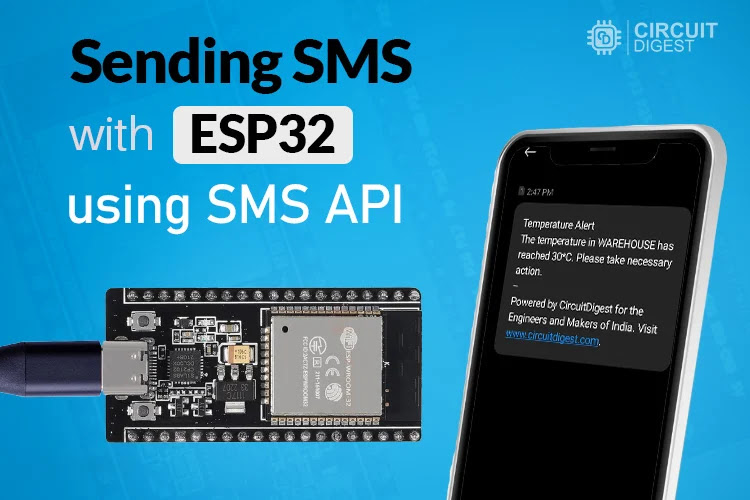
Forget bulky GSM modules and SIM cards, now you can send real-time SMS alerts with ESP32 using the free SMS API from Circuit Digest Cloud. Perfect for applications like temperature monitoring, motion detection, or door-opening alerts. In this project learn how to deliver instant notifications directly to your phone without any apps, dashboards, and fees.

How It Works

  • ESP32 connects to Wi‑Fi using SSID and password.
  • It reads sensor data (e.g., temperature via DHT11).
  • If a threshold is crossed (e.g., temp ≥ 30 °C), ESP32 sends an HTTP request to the SMS API.
  • Circuit Digest Cloud validates your API key and sends an SMS to the linked phone number.
Block-Diagram-ESP32-SMS


What You Will Need

  • ESP32 Development Board
  • DHT11 Temperature Sensor (or any sensor of your choice)
  • Breadboard + Jumper Wires
  • 5V USB Power Supply

Circuit Diagram

Circuit-Diagram-of-ESP32-SMS-API

Getting Started: SMS API Key

  1. Visit Circuit Digest Cloud, sign in or register

  2. Generate your free API key (valid for 100 SMS/month)

  3. Add recipient phone number(s) via OTP

  4. Choose an SMS template (e.g., Template ID 102 for temperature alerts)

Hardware-setup-of-API-based-ESP32-SMS-Sender

Applications of SMS API with ESP32

  • Smart Home & Security: Get alerts for critical events

  • DIY Prototyping: Fast, hardware-free SMS integration

  • Educational Projects: Learn HTTP, JSON, cloud APIs ,  all through ESP32


Wednesday, 6 March 2024

All About Sensors: Understanding Their Function and Sensing Capabilities

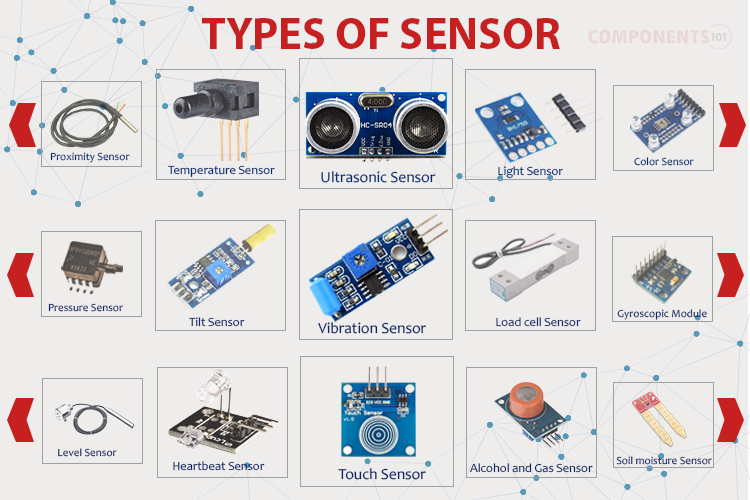
Sensors are vital components in our modern world, enabling us to perceive and interact with our environment in various ways. They come in different types, each with unique applications and functionalities. In this article, we'll explore the basics of sensors and its types, applications, and operational principles.

What are Sensors?


Sensors are devices designed to detect changes in their environment and provide output signals, either analog or digital. These signals serve various purposes, from displaying information to controlling processes in closed-loop systems. Essentially, sensors act as our technological senses, allowing devices to detect and respond to changes in their surroundings accurately.


Differentiating Sensors and Transducers


It's essential to distinguish between sensors and transducers. Sensors detect environmental changes and provide feedback, while transducers convert physical quantities into electrical signals or vice versa. Sensors require external power, whereas transducers can operate independently. Understanding this difference is crucial for grasping the functionality of different sensor types.
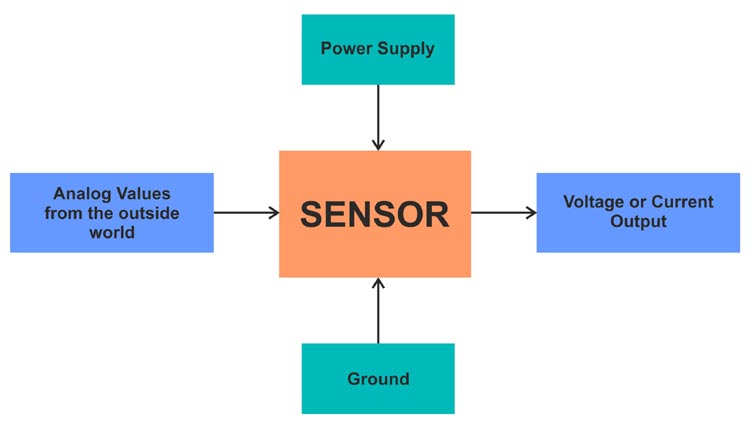

Classification of Sensors


Sensors can be classified in various ways, including active vs. passive and analog vs. digital. Active sensors, like piezoelectric sensors, don't need external power sources, while passive sensors, such as thermistors, do. Analog sensors produce continuous signals, while digital sensors generate discrete values.


Common Types of Sensors and Their Applications


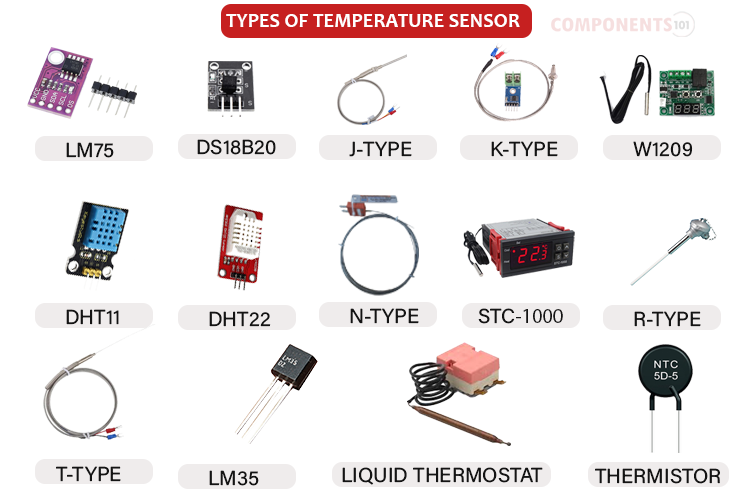
Temperature Sensor: Measures thermal energy accurately, vital in industrial, automotive, medical, and environmental monitoring.

Position Sensors: Determine object positions, essential for robotics, motion systems, and automotive applications.


Ultrasonic Sensors: Utilize ultrasonic waves for distance measurement and object detection, widely used in robotics and industrial automation.


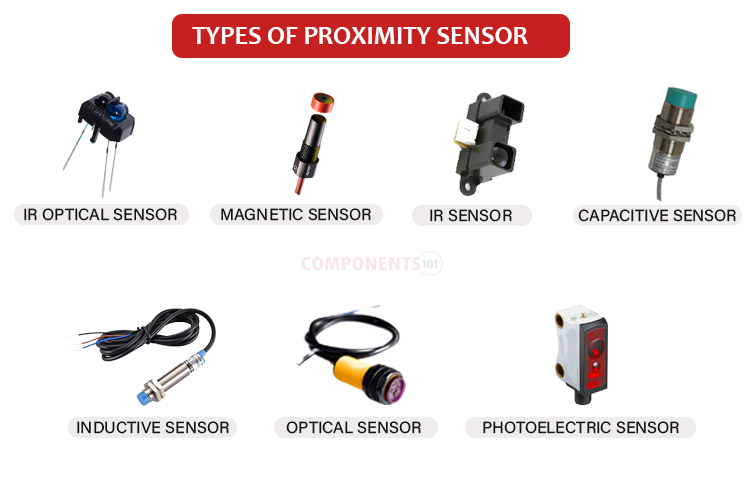
Proximity Sensor: Detects nearby objects without contact, crucial for automotive, industrial automation, and safety systems.

Hall Effect Sensors: Detect external magnetic fields, finding applications in position detection and automotive systems.


Light Sensors: Convert light energy into electrical signals, used in ambient light detection, object detection, and photography.


Gas and Chemical Sensors: Detects presence and concentration of gases, essential for safety systems, environmental monitoring, and industrial processes.


Humidity Sensors: Measure humidity levels in the air, employed in HVAC systems, weather stations, and agriculture.


Radiation Detectors: Detects various types of radiation, crucial for nuclear power plants, medical imaging, and radiation safety.


Sensors are fundamental components of modern technology, facilitating our interaction with the environment in diverse ways. Understanding their types, applications, and operational principles is essential for effectively harnessing their capabilities. Whether monitoring temperature, detecting motion, or ensuring air quality, sensors play a pivotal role in shaping our world.

Tuesday, 7 June 2016

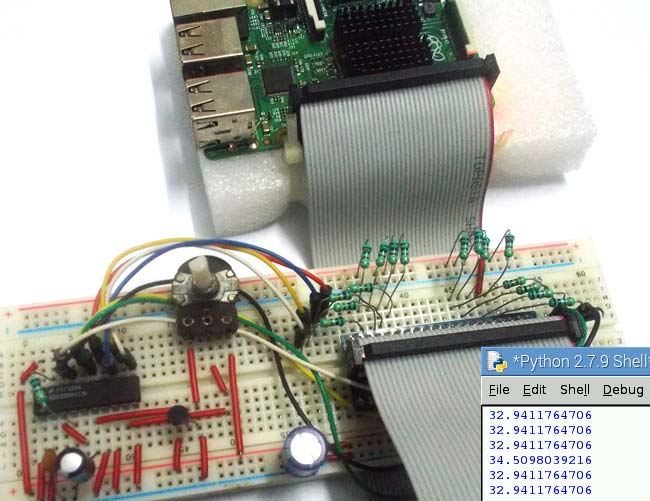
Temperature Measurement using Raspberry Pi

Room Temperature Measurement with Raspberry Pi

After covering the basic raspberry pi tutorials in previous articles, in this project we are designing first application based on the previous tutorials. The first basic application is a Raspberry Pi Temperature Monitor where you can monitor the temperature readings on computer. For this we have interfaced Raspberry Pi with LM35. You can learn more about LM35 temperature sensor, here

As discussed in previous tutorials, there are no ADC channels provided internally in Raspberry Pi. So if we want to interface any analog sensors we need an ADC conversion unit. And in one of our tutorials we have Interfaced ADC0804 chip to Raspberry Pi to read an analog value. So go through it before building this Room Temperature Thermometer.

Monday, 22 June 2015

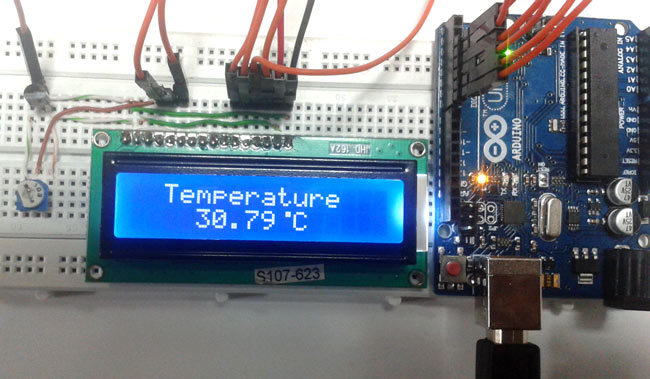
An Arduino Based Temperature Sensor


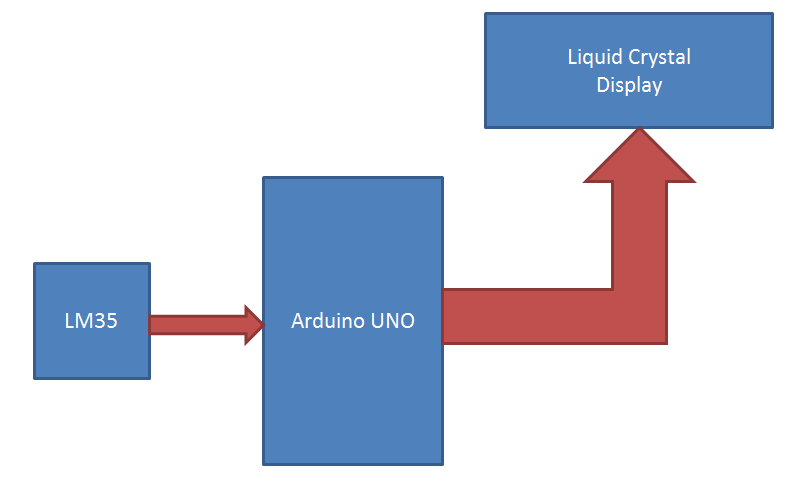
This interesting DIY thermometer project uses an Arduino Uno board and LM35 temperature sensor to display current ambient temperature on a 16x2 LCD screen attached with Arduino. This block diagram shows the working of this project.
Arduino Thermometer Block Diagram
LM35 temperature sensor is used for sensing environment temperature which gives 1 degree temperature on every 10mV change at its output pin. You can easily check it with voltmeter by connecting Vcc at pin 1 and Ground at pin 3 and output voltage at pin 2 of LM35 sensor. For an example if the output voltage of LM35 sensor is 250m volt, that means the temperature is around 25 degree Celsius.